
TRUST INFRASTRUCTURE FOR SOFTWARE + AI AGENTS Control every action
Control every action
your AI agents take.
Put policy, approval, execution boundaries, independent verification, and evidence between AI intent and real-world impact.
Local-first where supported Explicit authorization Independent verification Signed runtime
AEGIS CONTROL PLANE DEMO WORKSPACE
POLICY DECISIONdeploy.productionAPPROVAL
VERIFICATIONIndependent checksVERIFIED
AI proposes→Aegis authorizes→Software acts→Aegis verifies→Evidence remains
HARNESSControl intent
Control intent
before impact.
Aegis sits in the action path. Analysis can recommend. Authority decides whether an action is allowed, blocked, or must wait for approval.
ACTION ENVELOPE
Identity. Scope. Policy. Evidence.
File, shell, git, package, secret, API, database, and deployment actions can be mediated through the same explicit trust boundary.
FILESHELLGITPACKAGESECRETAPIDBDEPLOY
CONTROL PLANEOne place to see
One place to see
who can do what.
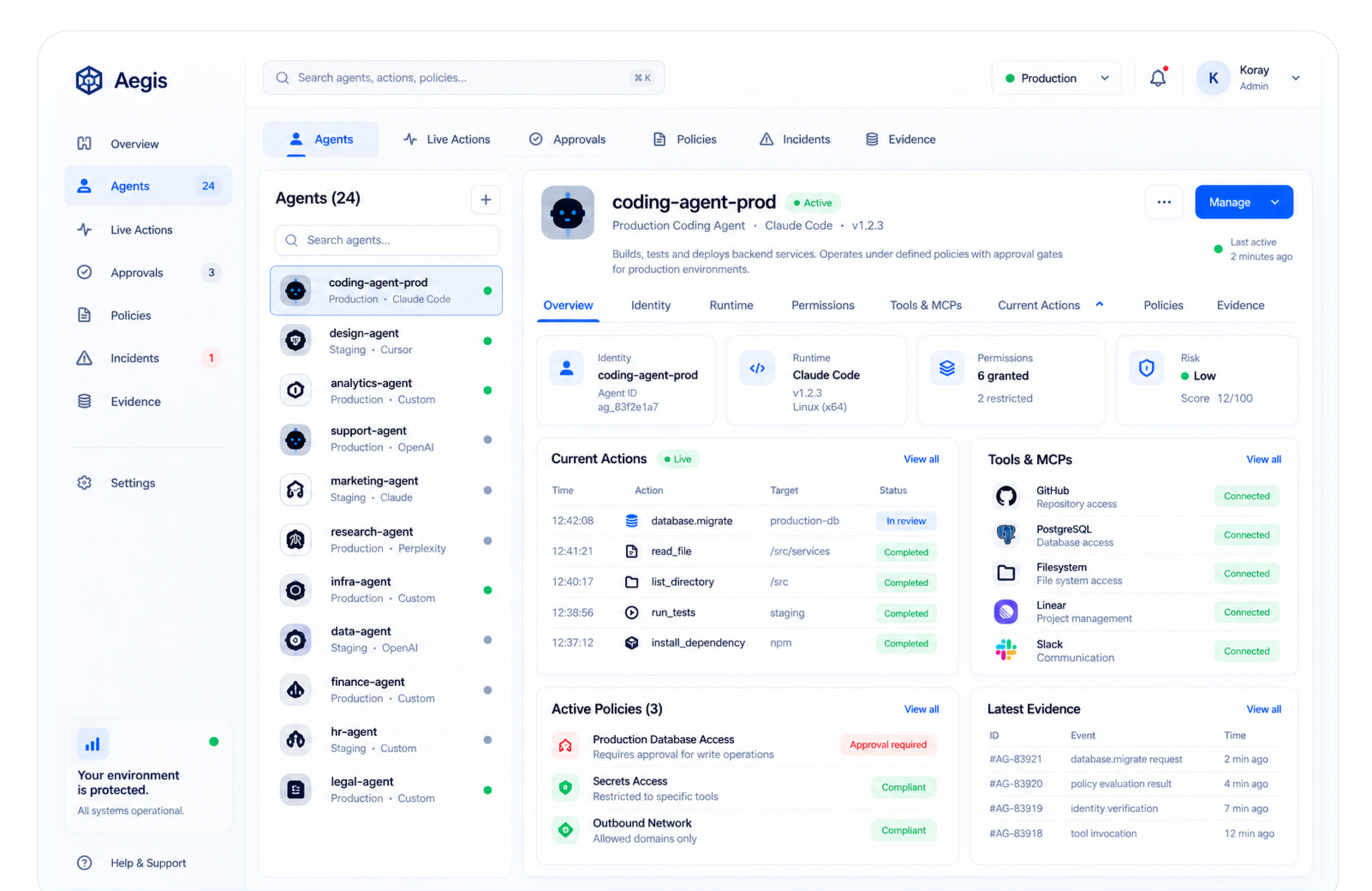
Agents, actions, approvals, policy, incidents, and evidence come together in one operating surface. The screenshot shows the Aegis interface with demo workspace data.
Know the actor.
Identity and scope stay visible before software is trusted to act.
Gate the action.
Policy decides what the current task is actually allowed to do.
Check independently.
Verification stays distinct from the system that proposed the change.
Keep the record.
Evidence explains why an action was allowed, blocked, or escalated.
DEVELOPER ENTRY Start next to the code.
Start next to the code.
Expand when you need control.
Aegis lives in VS Code. No web signup is required to start with Community. There is no separate Aegis username and password account to create.
code --install-extension aegis-security.aegis-securityInstall details →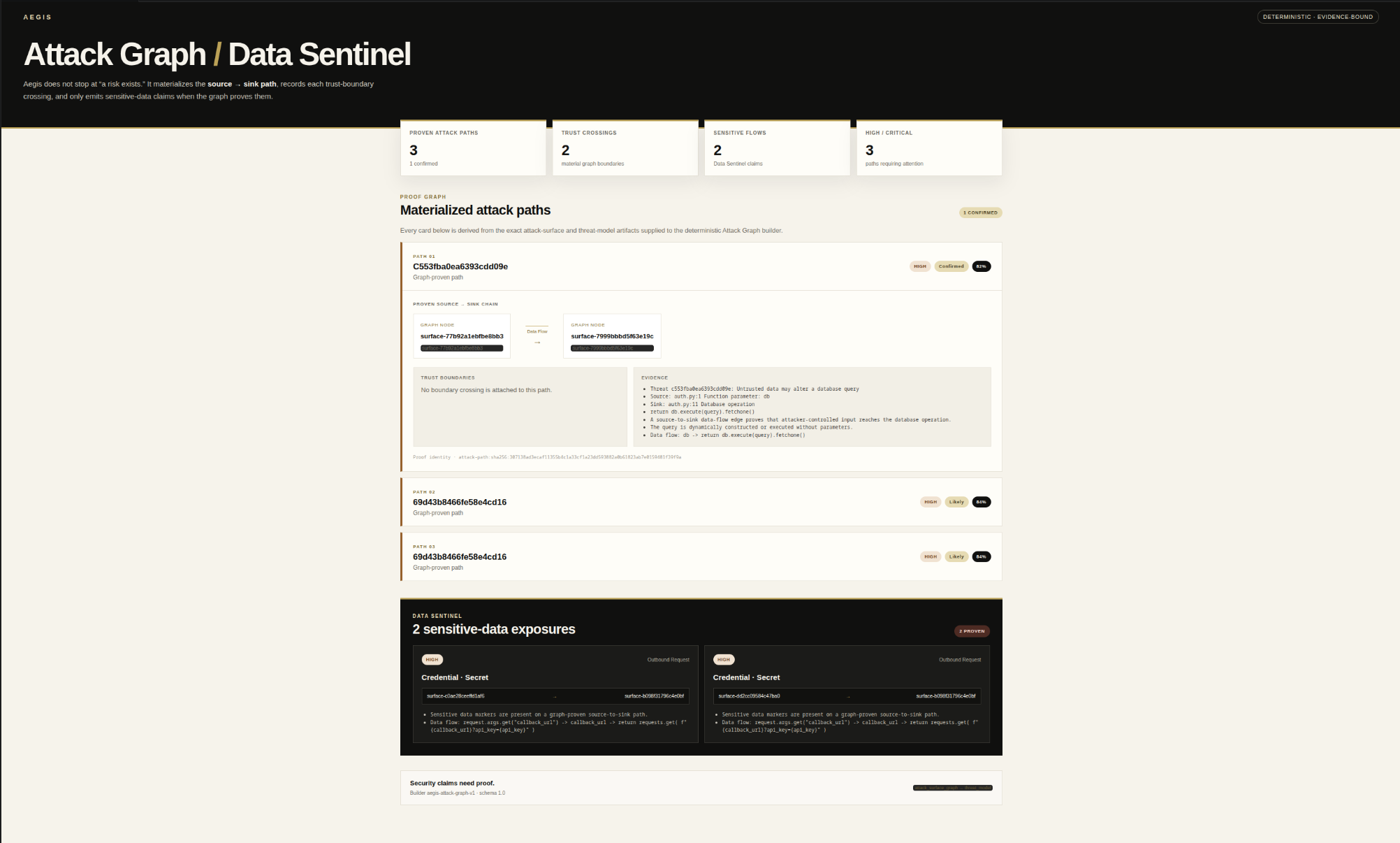
Aegis Snapshot
Drop one file.
See the review surface.
A browser-local preview for the first thirty seconds of evaluation. Source stays in this tab. Snapshot surfaces deterministic review signals; it does not issue a security verdict or replace full Aegis verification.
Browser-localNo uploadNo executionPreview only
OR
PREVIEW / WAITING
Nothing is called safe before evidence exists.
Add one source file. Snapshot will map a small set of deterministic review signals locally, then hand the full-repository decision back to Aegis.
INPUTOne inert text source
NETWORKNone
EXECUTIONNone
OUTPUTReview signals, not a verdict
AEGIS SNAPSHOT / LOCAL
PREVIEW ONLY Review surface materialized.
Review signals0
High-attention0
ScopeONE FILE
ProofUNRESOLVED
PROOF GAP A signal is where the investigation starts.
Snapshot can point at code. It cannot establish the repository-level security claim.
- Reachability
- UNKNOWN
- Exploitability
- NOT ESTABLISHED
- Attack path
- NOT TRACED
- Safe reproduction
- NOT RUN
- Remediation
- NOT PROVEN
- Regression proof
- NOT VERIFIED
TRUTH BOUNDARY Snapshot does not issue VERIFIED.
Lexical signals can prioritize review. Full evidence, authorization, and verification remain product work.
Need the repository, attack graph, remediation, and proof? Snapshot stops before authority begins.
PRODUCT PROOF Don’t trust “done.”
Don’t trust “done.”
Verify what actually held.
Aegis keeps the finding, proposed change, executed checks, and final decision separate. The result is a chain you can inspect instead of a badge you have to believe.
01 · MAP
See the path before the verdict.
Attack Graph / Data Sentinel materializes source-to-sink paths, trust crossings, evidence, and sensitive flows before Aegis asks you to trust a conclusion.
02 · FIX + PROVE
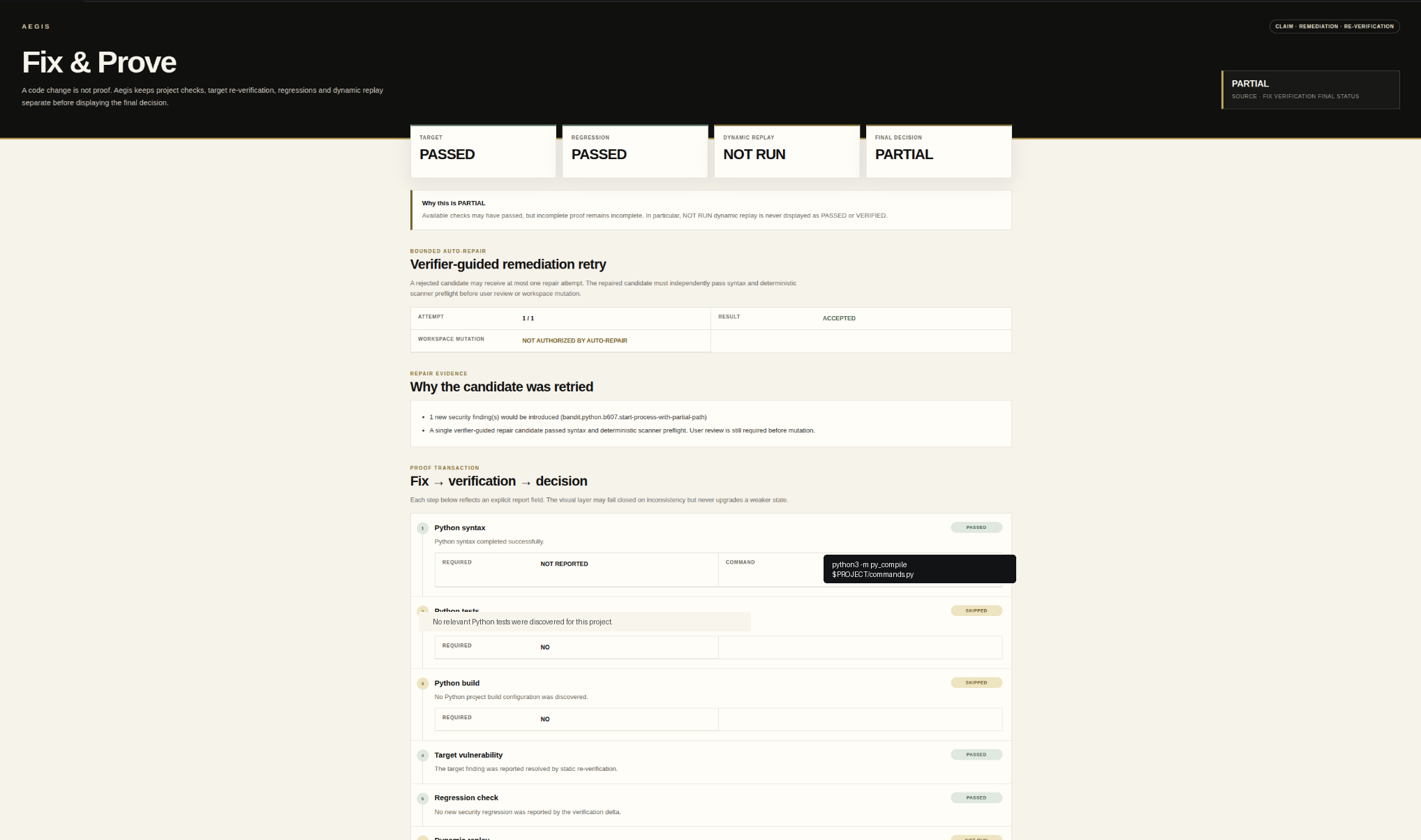
Fixing code is not proof.
A generated patch is a proposal. Aegis keeps remediation review separate from target re-verification, regression checks, dynamic replay, rollback state, and the final decision. NOT RUN never becomes PASSED.

03 · DECIDE
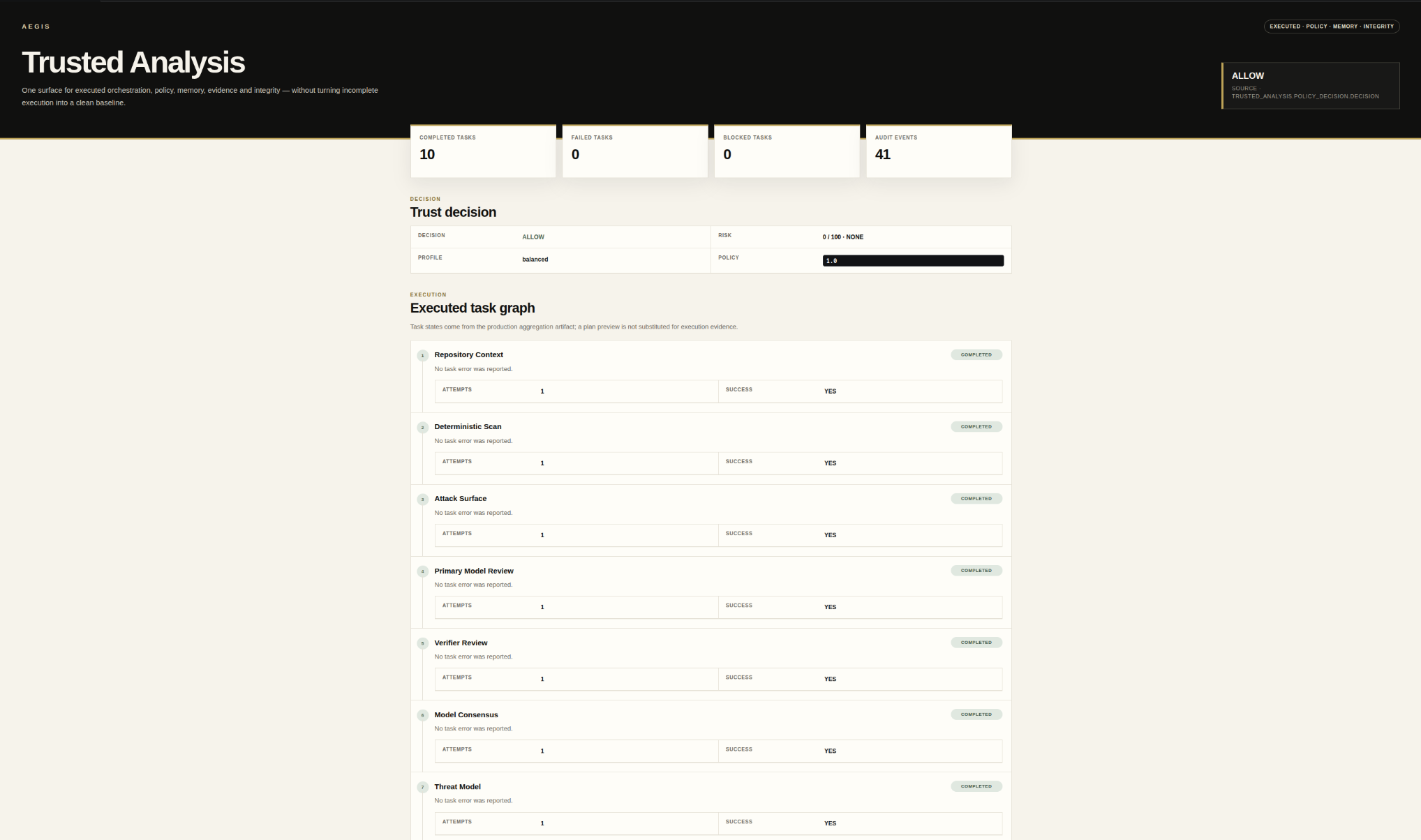
Incomplete evidence stays incomplete.
Trusted Analysis preserves executed tasks, policy, audit evidence, and integrity state without substituting planned work for executed proof.
THREAT MODELRepository context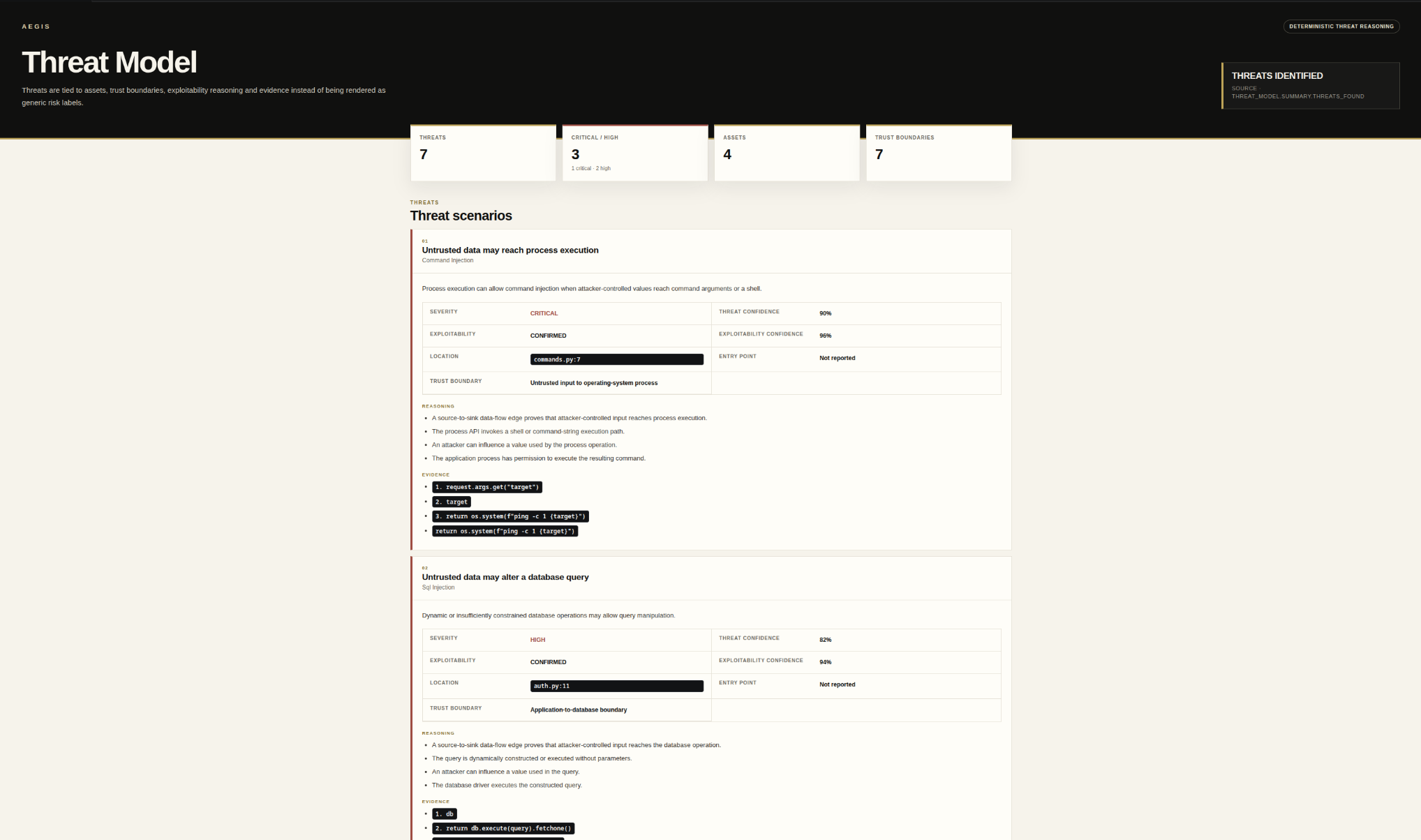
SECURITY TASK PLANAuthorized execution plan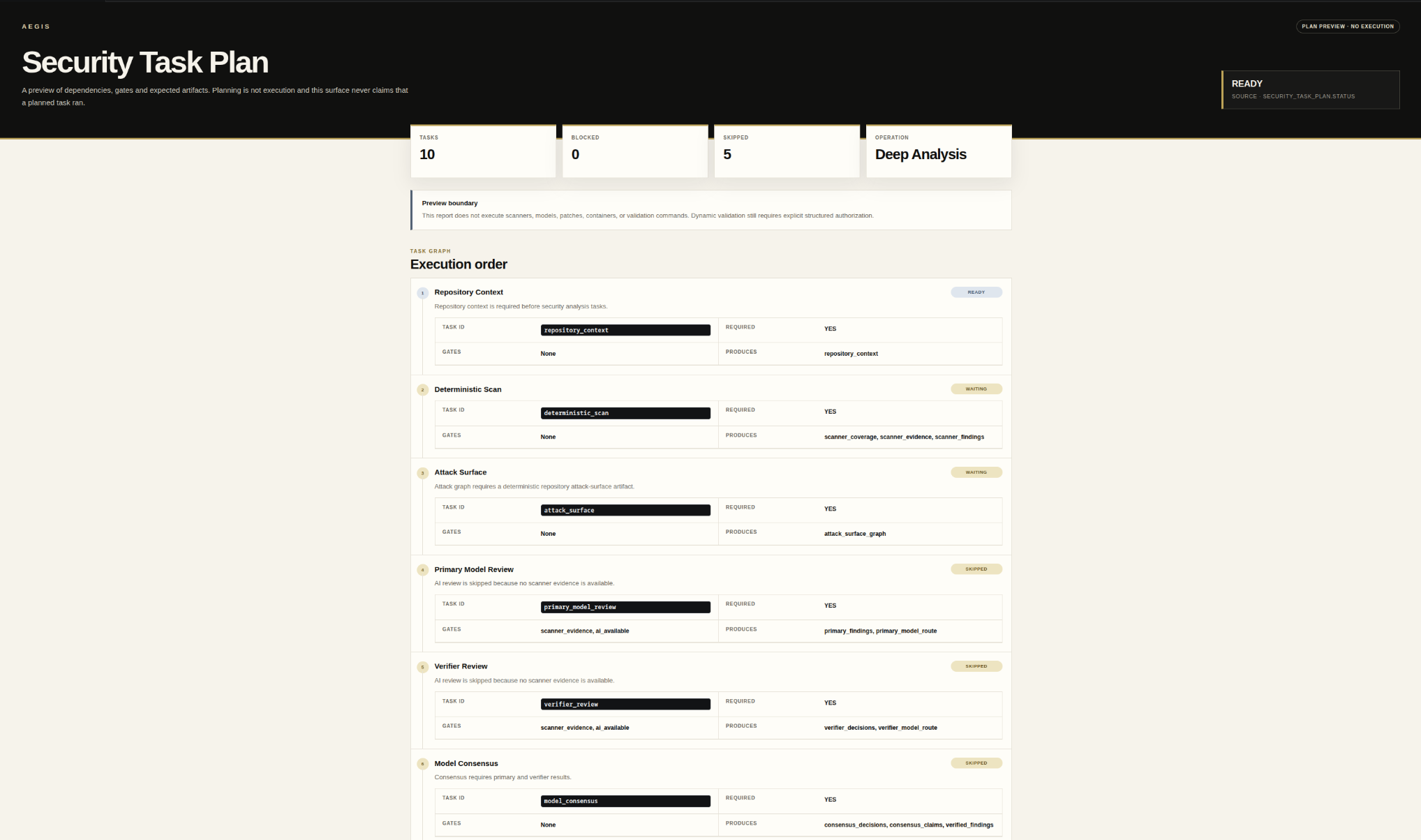
Start here
One product.
Two obvious ways in.
Use Community to get into the product. Use Founding Pro when you want the paid verification and remediation path.
COMMUNITY$0
Install. Open a project. Inspect the evidence.
- 01Install Aegis from the VS Code Marketplace.
- 02Open a project you are authorized to inspect.
- 03Run Aegis and review the security record.
FOUNDING PRO$19 / month
Identity. Checkout. Server-side activation. Back to Aegis.
- 01Start Founding Pro and establish your GitHub identity.
- 02Complete the secure Paddle checkout.
- 03Aegis waits for authoritative server entitlement before showing paid access.
- 04Open Aegis in VS Code with the entitled identity.